
Action Pages
Your page, wherever someone finds you.
Links, music, a menu, or a ticket can live on one page.
Change the page when the offer changes. The link and the code stay the same.
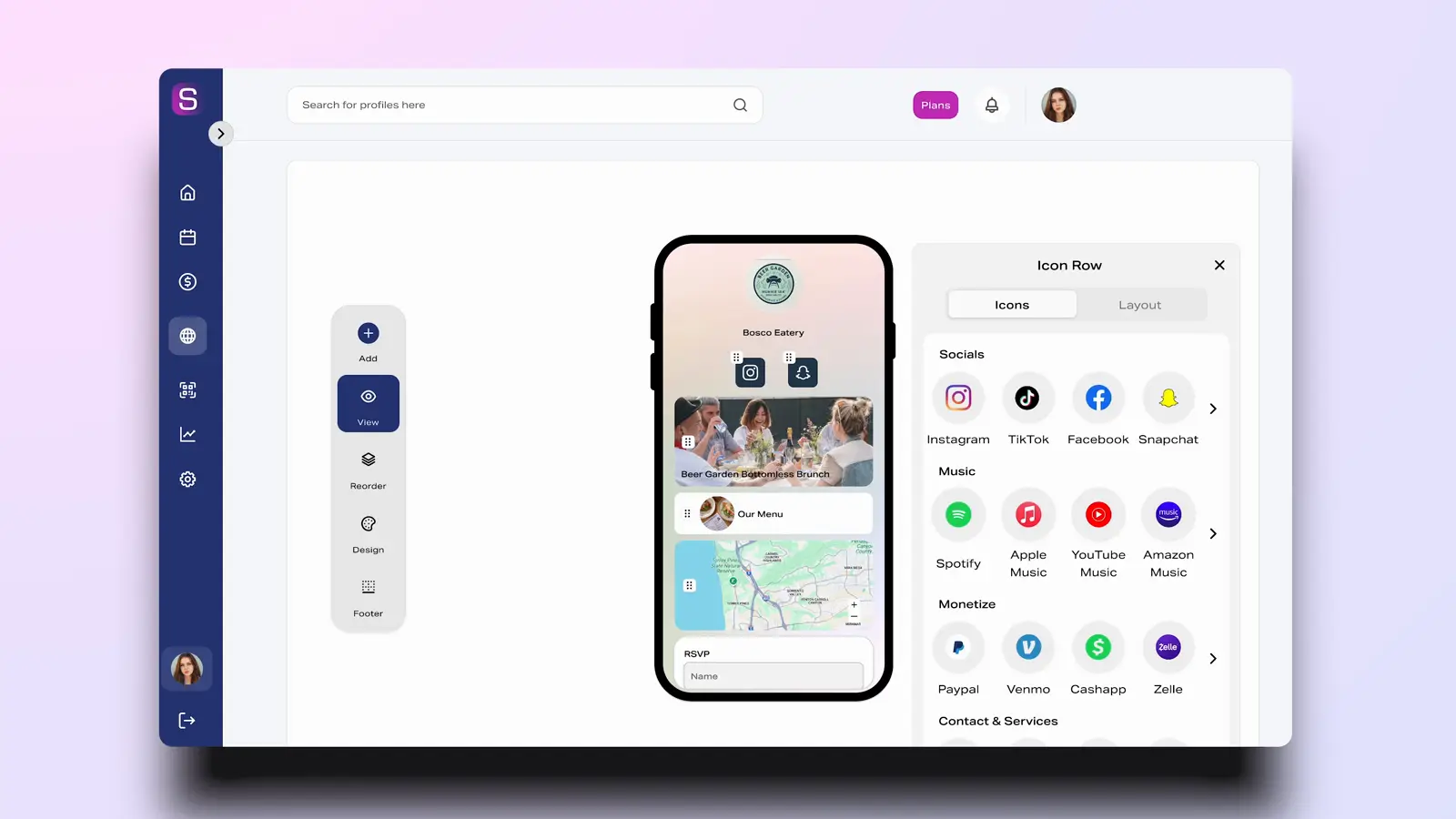
One Link for Everything
Links, an event, and a digital business card can live on one page. People open it from Instagram, TikTok, or any other place you share the link.
Fully Customizable
Set the colors, the fonts, and a photo or video background. You can match the page to your brand without writing code.
Built-in Analytics
Every link on the page can record a click. You can see when it happened and where the visit came from.
How to create an Action Page
Sign Up
Create a free Sprouter account with email or a social login.
Choose Your Template
Start from a template or from a blank page.
Add Your Content
Add links, media, files, and a contact form.
Customize Your Design
Set the colors, the fonts, and the layout.
Publish & Share
Publish the page and use that one link in a bio, a story, or a code.
What you can put on the page
The link stays the same when the offer changes.
Custom Links
Add links to profiles, products, or any URL. Set a thumbnail, track the click, and schedule a link to appear and disappear.
File Hosting
Host a PDF, an image, or an audio file on the page. Downloads can be counted.
Music & Media
Visitors can play a song from Spotify, SoundCloud, or YouTube, or watch a video, without leaving the page.
Lead Capture Forms
A signup can connect to Mailchimp or ConvertKit. You can export the contacts you collect.
Embed Widgets
Embed a calendar, a booking widget, or another tool you already use.
Integrations
Connect Mailchimp, ConvertKit, or Zapier. A signup stays on the page.
Scheduling, branding, and embeds
Scheduling
A link can appear and disappear on a schedule. The page link stays the same.
Branding
Set the colors, the fonts, and a logo so the page matches the brand.
Embeds & Integrations
Connect the page to the tools you already use, or embed a widget directly.
FAQ
What is a link in bio tool?
A link in bio tool creates a mobile-friendly landing page that houses multiple links, allowing you to share more than one URL from your social media bio. Since platforms like Instagram and TikTok only allow one link in your profile, a link in bio tool solves this by giving you a single URL that leads to a page with all your important links, content, and calls-to-action.
What is the best free link in bio tool?
The best free link in bio tool offers unlimited links, customization options, analytics, and doesn't require a credit card to start. Sprouter's free plan includes a fully customizable Action Page with unlimited links, embedded media support, basic analytics, and the ability to host free events—features that many competitors charge for.
How do I add a link in bio to Instagram?
To add a link in bio to Instagram: 1) Create a free account on a link in bio platform like Sprouter, 2) Add your links, media, and content to your page, 3) Copy your unique URL, 4) Open Instagram and go to Edit Profile, 5) Paste your URL in the Website field. Your followers can now tap your bio link to access all your content from one mobile-optimized page.
What is a Sprouter Action Page?
A Sprouter Action Page is your customizable digital hub—a single link that showcases everything about you or your brand. Unlike basic link-in-bio tools, Action Pages support unlimited links, embedded media (videos, music, podcasts), file downloads, contact forms, social feeds, event listings, tip jars, and more. Think of it as a mini-website optimized for mobile that you can share everywhere: social media bios, email signatures, business cards, and QR codes.
How do I create an Action Page?
Creating an Action Page is simple: Sign up for free, choose a template or start from scratch, add your content blocks (links, media, contact info, etc.), customize colors, fonts, and layout to match your brand, preview on mobile and desktop, and publish to get your unique sprouter.link URL. The entire process takes about 5 minutes. You can update your page anytime, and changes go live instantly.
What content blocks can I add to my Action Page?
Sprouter Action Pages support diverse content blocks: link buttons (with icons and thumbnails), embedded videos (YouTube, Vimeo, TikTok), music players (Spotify, Apple Music, SoundCloud), social feeds (Instagram, TikTok), file downloads (PDFs, images), contact forms with custom fields, tip jars and payment buttons, event listings with ticket sales, countdown timers, text and heading blocks, image galleries, and embed codes for any HTML content.
Can I see who visits my Action Page?
Yes! Every Action Page includes analytics showing: total page views and unique visitors, click-through rates on each link, geographic location of visitors, device and browser breakdown, traffic sources and referrers, and visit time patterns. Pro+ members also get heatmap analytics showing exactly where visitors click and scroll. All data is available in real-time in your dashboard.
Is my Action Page mobile-friendly?
Absolutely! Action Pages are mobile-first by design. They're optimized for smartphones where most social media traffic originates, but look great on tablets and desktops too. All content blocks automatically adapt to screen size, buttons are touch-friendly, and page load times are optimized for mobile networks. You can preview exactly how your page looks on different devices before publishing.