
Dynamic QR codes
Print the code once.
Point it at a menu, an offer, or a page, and change that destination later.
Each scan can show which code was used, and whether someone came back.
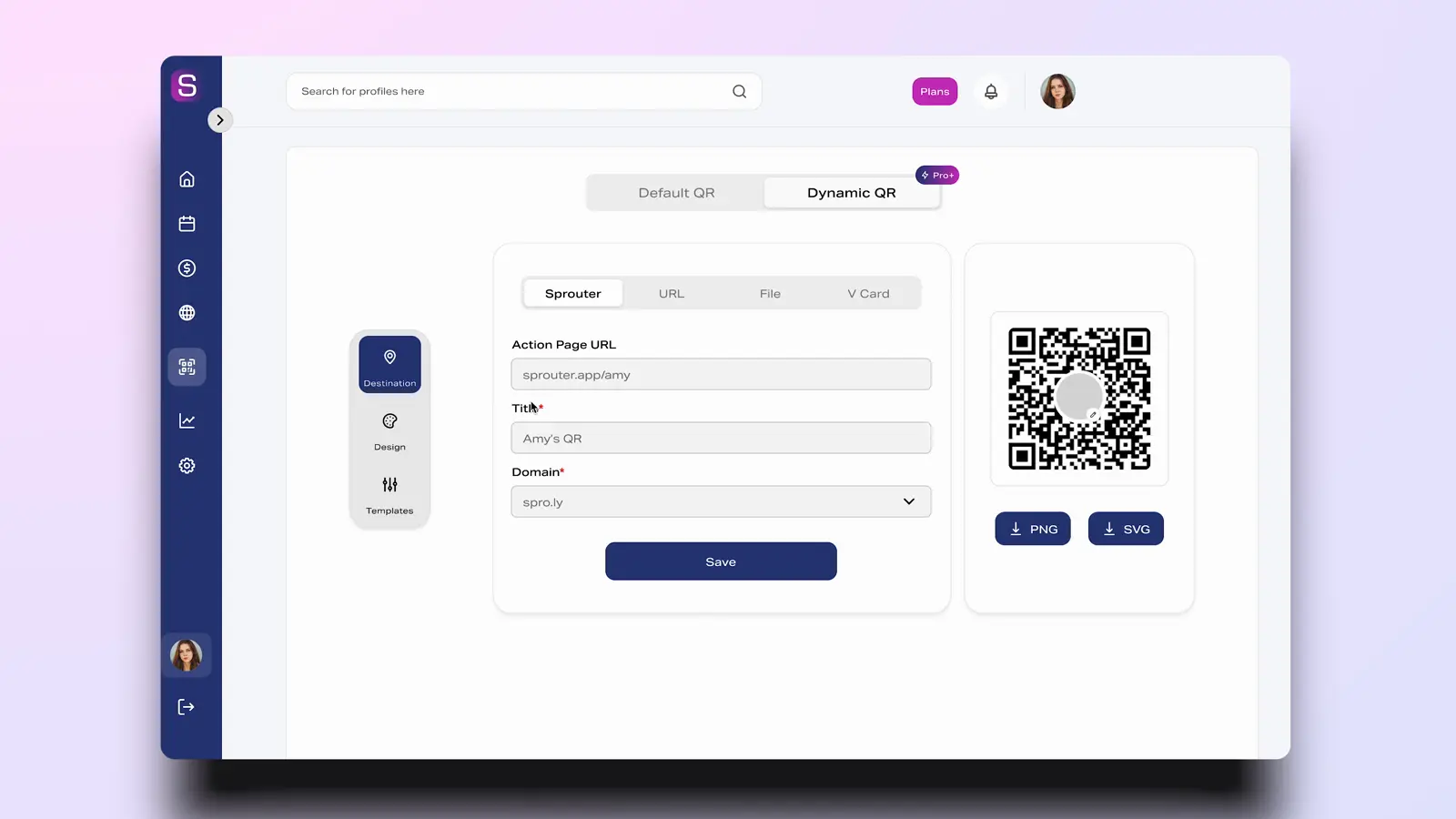
Update the destination
Point the code at a page, a menu, a file, or any URL. Change that destination later without reprinting the code.
Where the scan happened
Each scan can show a city, a region, and a country. You can tell which poster, table, or package was used.
Device and time
Scans record the device and the hour. You can see which days the code is actually used.
A first scan and a return
The record separates someone new from someone who scanned again. That stays with the code you printed.
How Dynamic QR Codes Work
Create Your Code
Generate a code, match its design to the brand, and download PNG, SVG, or PDF. Free includes 3 dynamic QR codes.
Set Destination
Link it to a page, a site, a PDF, or any other URL. Change that destination later.
Print & Deploy
Put the code on a poster, a package, a card, or a menu.
Track & Optimize
See where, on which device, and when people scanned. Pro includes 50 dynamic QR codes. Pro+ includes Unlimited dynamic QR codes.
Where a code gets used
Product Packaging
A code on a package can open a recipe, instructions, or the current offer. Change the destination without a new print run.
Restaurant Menus
A table code can open the menu and the specials. Update the menu without reprinting the card.
Event Marketing
A poster code can open the ticket page. You can see which placement was scanned.
Direct Mail
A code on a mailer can show which piece was scanned.
Retail Displays
A display code can open product details or the current page.
Business Cards
A card can open an Action Page. Update the page without reprinting the card.
Static vs Dynamic QR Codes
A static code stores the destination in the symbol. A dynamic code points through Sprouter, so the destination can change and the scan can be recorded.
| Capability | Static QR Codes | Sprouter Dynamic |
|---|---|---|
| Change destination after printing | No | Yes |
| Track scan analytics | No | Yes |
| See a first scan and a return | No | Yes |
| Fix a broken link | Reprint the code | Change the destination |
| Location, device, and time | No | Yes |
FAQ
What is the best free QR code generator?
Sprouter's free plan includes 3 dynamic QR codes. A dynamic code can be updated after printing and can record the place, the device, and the time of a scan.
How do I create a QR code with tracking?
To create a QR code with tracking: 1) Use a dynamic QR code generator like Sprouter (static codes cannot be tracked), 2) Create your QR code and link it to your destination URL, 3) Download and print or share your code, 4) View scan analytics in your dashboard including location, device type, scan times, and unique vs. repeat visitors. Sprouter includes tracking on all dynamic QR codes.
Can I change a QR code after printing?
Yes, but only if you use a dynamic QR code. Dynamic QR codes route through a server that redirects to your destination, allowing you to change where the code points at any time without reprinting. Static QR codes encode the URL directly and cannot be changed. Always use dynamic QR codes for printed materials like business cards, posters, product packaging, and marketing materials.
What is the difference between static and dynamic QR codes?
Static QR codes have a fixed destination encoded directly in the code—once created, they can never be changed. Dynamic QR codes route through Sprouter's servers, allowing you to change the destination URL anytime without reprinting. Dynamic codes also include full scan analytics (location, device, time) while static codes offer no tracking. For any printed materials, dynamic QR codes are strongly recommended.
Can I track QR code scans with Sprouter?
Yes! Sprouter's dynamic QR codes include comprehensive analytics showing: total scan count, unique vs. repeat visitors, geographic location (city and country), device type (iOS, Android, desktop), browser information, scan time and date patterns, and referral sources. You can view real-time data in your dashboard and export reports for deeper analysis.
What can I link my QR code to?
Sprouter QR codes can link to virtually anything: your Action Page or any URL, event pages for ticket sales, PDF files and documents, contact cards (vCards), social media profiles, app download pages, WiFi network credentials, email addresses, phone numbers, restaurant menus, payment/tip pages, and custom landing pages. With dynamic codes, you can change the destination anytime.
Can I customize the design of my QR codes?
Absolutely! Sprouter offers extensive QR code customization: choose from multiple QR code styles and patterns, add your logo or image in the center, customize foreground and background colors, adjust corner and eye shapes, select frame styles with custom text, and download in PNG, SVG, or PDF format. Your branded QR codes maintain full scannability while matching your brand identity.
What size should my QR code be for printing?
The minimum recommended QR code size depends on scanning distance: for close-up scanning (menus, business cards), at least 2cm x 2cm (0.8 inches); for medium distance (posters, signage), at least 5cm x 5cm (2 inches); for far distance (banners, billboards), follow the 10:1 ratio—for every 10 feet of scanning distance, the code should be at least 1 foot wide. Always test your printed QR codes before large print runs.
Do QR codes expire?
Static QR codes never expire—the URL is permanently encoded in the code. Dynamic QR codes on Sprouter also never expire as long as your account is active. Even on the free plan, your QR codes will continue working indefinitely. However, if you delete a dynamic QR code from your dashboard or close your account, the code will stop working since it routes through our servers.
How many QR codes can I create on Sprouter?
Every plan includes dynamic QR codes with tracking and editable destinations. Free includes 3 dynamic QR codes. Pro includes 50 dynamic QR codes. Pro+ and Enterprise include Unlimited dynamic QR codes. Static codes, where offered, do not include scan analytics or editable destinations.