
Paper business cards are disappearing. Not slowly—rapidly.
The digital business card market reached $215 million in 2025 and is projected to exceed $680 million by 2035, growing at over 12% annually. Meanwhile, 88% of traditional paper business cards are discarded within a week of being received.
The shift isn’t just about technology preference. It’s about effectiveness. Digital business cards can boost networking efficiency by 50% and increase user retention by up to 75% compared to paper alternatives.
Whether you’re a solo professional, a growing team, or an enterprise, understanding digital business cards—and implementing them well—matters more than ever in 2026.
What Is a Digital Business Card?
A digital business card is an electronic version of traditional contact information that can be shared instantly via smartphone. Unlike static paper cards, digital versions can include:
- Contact details (name, title, company, phone, email)
- Social media profiles and links
- Profile photos and company logos
- Embedded media (videos, portfolios, music)
- Clickable links to websites, booking systems, or calendars
- File downloads (resumes, portfolios, menus)
- Real-time updates without reprinting
The information lives on a shareable web page or profile that recipients access through various methods—QR codes, NFC taps, text messages, email signatures, or direct links.
How Digital Business Cards Work
Sharing Methods
QR Code Scanning The most common method. You display a QR code on your phone screen (or printed material), and the recipient scans it with their camera. This works universally across all smartphones.
NFC Tap For premium digital cards with embedded NFC chips, recipients tap their phone against your card or badge. Requires NFC-enabled devices (not universal, but increasingly common).
Link Sharing Direct URL sharing via text, email, AirDrop, or messaging apps. No scanning required—just send the link.
Email Signatures Embedding your digital card link in email signatures means every message becomes a networking opportunity.
What Recipients Experience
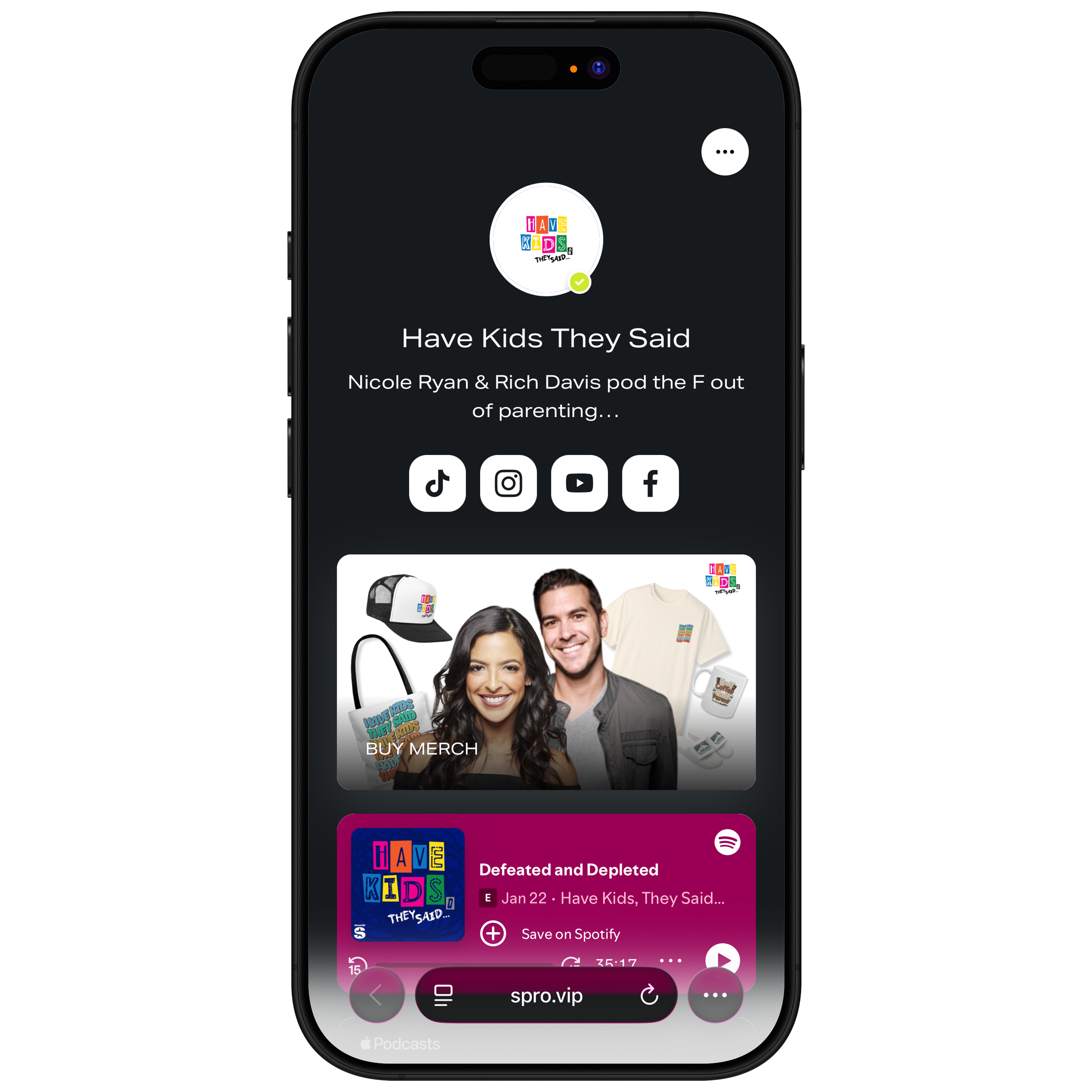
When someone accesses your digital card, they typically see a mobile-optimized profile page containing:
- Your photo and basic information
- Clickable contact options (call, text, email)
- Social media links
- Additional content you’ve chosen to share
- A “Save Contact” button that adds you to their phone
The experience is immediate, visual, and interactive—far more engaging than a paper rectangle.
Why Digital Business Cards Are Replacing Paper
The Paper Problem
Traditional business cards have fundamental limitations:
- Limited information: Physical space constraints restrict what you can share
- No updates: Print changes require reprinting entire batches
- Easy to lose: Cards get lost, damaged, or thrown away
- No tracking: You never know if someone kept or used your card
- Environmental impact: Billions of cards printed annually contribute to waste
The Digital Advantage
Digital cards solve these problems while adding new capabilities:
Unlimited Content Share your entire professional presence—social profiles, portfolios, booking links, videos—not just basic contact info.
Real-Time Updates Change your title, phone number, or company without creating new cards. Recipients always see current information.
Save-to-Phone Functionality One tap adds your complete contact information to someone’s phone contacts. No manual typing required.
Analytics and Tracking Know when your card is viewed, which links get clicked, and how people engage with your content. This visibility transforms networking from guesswork to data.
Sustainability No paper, no printing, no waste. For environmentally conscious professionals and companies, this matters increasingly.
What Makes a Great Digital Business Card
Essential Elements
Clear Identity Professional photo, full name, and title should be immediately visible. This establishes who you are in seconds.
One-Tap Contact Click-to-call, click-to-email, and click-to-text buttons eliminate friction. The easier you make it to reach you, the more people will.
Save Contact Button The ability to save your complete information to their phone contacts with one tap is perhaps the most valuable feature. It converts a moment of interest into a permanent connection.
Professional Design Clean, branded appearance that reflects your professional identity. Cluttered or amateur-looking cards undermine credibility.
Valuable Additions
Social Proof Links to LinkedIn, professional portfolios, or media mentions build credibility.
Calendly/Booking Links For professionals who take meetings, direct booking links remove scheduling friction.
Media and Content For creators, musicians, or content-driven professionals, embedded videos, music, or portfolio samples showcase work immediately.
Multiple Contact Methods Different people prefer different communication channels. Offering options (phone, email, text, social DM) increases connection likelihood.
What to Avoid
Information Overload More isn’t better. Prioritize what matters for your networking context. A card cluttered with 15 links confuses rather than connects.
Outdated Information The digital advantage is real-time updates—use it. Stale information undermines trust.
Generic Design A digital card that looks like everyone else’s fails to differentiate you. Invest in branding that reflects your unique professional identity.
Slow Loading Mobile optimization matters. If your card doesn’t load quickly on phones, people won’t wait.
Types of Digital Business Cards
App-Based Cards
Dedicated apps like HiHello, Haystack, and others let you create profiles within their ecosystem. Pros include polished interfaces and built-in features. Cons include app dependency and limited customization.
NFC-Enabled Physical Cards
Premium physical cards (V1CE, Mobilo, Tapni) contain NFC chips that trigger digital profiles when tapped. The physical card provides a tangible networking moment while delivering digital content.
Web-Based Profile Pages
Platforms that create customizable web pages serving as digital business cards. These work independently of any app—anyone with a web browser can view them.
Link-in-Bio Style Pages
Tools originally designed for social media (linking from Instagram bios, etc.) now serve as digital business cards. Sprouter’s Action Pages fit this category—mobile-optimized profile pages that function as digital business cards while offering additional capabilities like media embeds, file downloads, and event ticketing.
Industry-Specific Applications
Sales Professionals
Digital cards with integrated CRM connections capture leads automatically. Meeting someone at a trade show? Their info flows directly into your sales pipeline when they save your card.
Real Estate Agents
Property listings, virtual tour links, and scheduling integration turn your card into a complete buyer resource.
Healthcare Providers
Patient portal links, appointment booking, and insurance information make cards genuinely useful rather than just promotional.
Creators and Artists
Portfolio samples, streaming links, and social profiles showcase work immediately. Sprouter’s Action Pages excel here with music embeds, video integration, and file downloads.
Event Professionals
Event links, ticketing, and venue information turn personal cards into event promotion tools.
Measuring Digital Card Effectiveness
Unlike paper cards, digital versions provide measurable data:
Key Metrics
Card Views How many times your card was accessed. Indicates reach of your networking efforts.
Save Rate What percentage of viewers save your contact. Measures conversion from interest to connection.
Link Clicks Which links get engagement. Reveals what content resonates with your network.
Time and Location Data When and where people engage. Helps understand networking patterns.
Using Data to Improve
Review analytics regularly to understand:
- Which networking contexts generate most engagement
- What content drives clicks
- Whether your call-to-action is effective
- How to optimize for better results
Getting Started
If you’re still relying on paper business cards, the time to transition is now. Start with these steps:
- Choose a platform that matches your needs—simple card functionality or broader capabilities
- Create your profile with essential information and professional branding
- Generate a QR code for easy sharing in any context
- Add your card link to email signatures and social profiles
- Practice your introduction—“Let me share my digital card” should become natural
- Review analytics and optimize based on what you learn
Sprouter’s Action Pages provide digital business card functionality plus the additional capabilities most professionals actually need—event ticketing, media embedding, file sharing, and comprehensive analytics. Whether you’re a solo creator or managing a team, the platform scales with your requirements.
The paper business card served its purpose for over a century. But in a world where professional connections happen digitally, networking tools need to be digital too.
Ready to create your digital business card? Build your Action Page on Sprouter and start networking with a mobile-first profile that does more than share contact info.